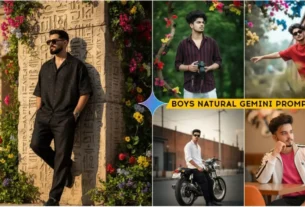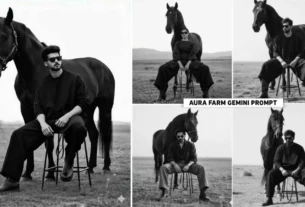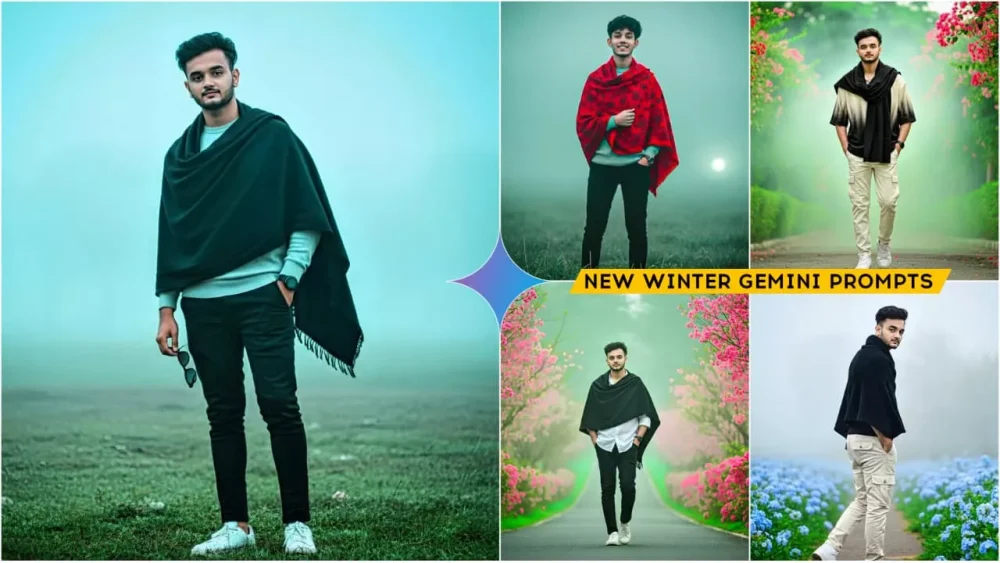
Google Gemini Winter Ai Photo Editing Prompts – Winter is coming, and instead of editing photos accordingly, people should post normal photos. Let me tell you, if you don’t post your photos or videos on Instagram according to the season, your videos or whatever you’re posting won’t go viral. And let me tell you, if you’re creating this winter photo now, your photo is going to perform very well because I’ve seen its results. All the people who have posted before, their editing has gone viral, and I’ll tell you the steps on how you can also do this viral editing and go viral in a good way.
Details Of Google Gemini Winter Ai Photo Editing Prompts
Look, as I mentioned, this is going to be our first post entirely about winter, and in it, I’ll explain how you can create a winter-like photo. If you don’t have the money for a photoshoot, you can create such a professional photo for free. No one will ever tell you that you created it from scratch. The most interesting thing here is that it’s creating a slightly desi look. You might have noticed that foreigners wear slightly different Western-style clothing, while Indians who are desi-style wear a shawl, and there’s fog behind them. Normally, we have plains. I’ll show you a photo of the same type of background that I shared. Because of this folklore, people are liking this kind of photo.
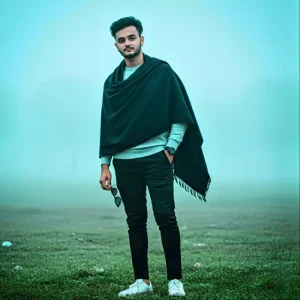
Uploaded photo 100% face match foggy, grassy field on a moody morning. He is draped in a black shawl or cape over a light grey sweater and black trousers. One hand is casually in his pocket, and the other is holding the edge of the shawl. The man has a confident and composed expression. The background is softly blurred with a beautiful bokeh effect and a mysterious, cool blue-green tint from the fog and environment. Captured with a low-angle DSLR shot, featuring a shallow depth of field and professional color grading. Detailed Description (Keywords/Details): Shot: Full-length portrait, Low-angle shot, Cinematic, Editorial. Subject: Young man, Stylish, Confident posture, Black shawl/cape, Light grey sweater, Black fitted trousers, White sneakers, Composed expression.


Setting: Foggy morning, Misty green field, Moody atmosphere, Soft natural light, Ethereal mist, Cool blue-gree color palette. Camera/Editing: DSLR photography, 4\text{K} resolution, Bokeh background, Shallow depth of field, High-quality color grading, Ultra-realistic detail.keep my face same 100% same is THIS reference
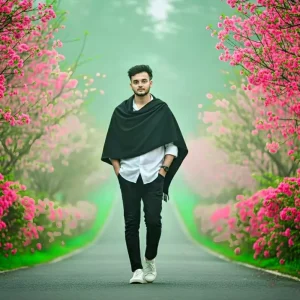
Young stylish man with a modern hairstyle is captured mid-step, walking confidently through a dreamy path with both hands in his pockets. He is wearing a White sart with a winter black shawl draped over his shoulders. The surroundings are filled with vibrant pink bougainvillea flowers and soft green foliage. The background has a soft, magical fog creating a Green atmosphere. The style is elegant, calm, and romantic. His look is natural and confident. *Face must be kept 100% unchanged from the uploaded image.
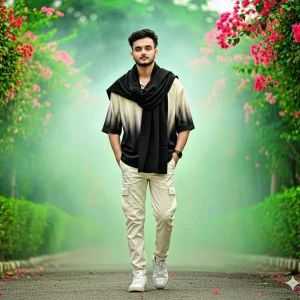
Young styleish man modern hairstyle is captured mid-step, walking through a path lined keeping both hands in pockets very stylish walk with green foliage and pink bougainvillea.wearing a oversized, short-sleeved button-up with a black to cream ombre effect, off white cargo pant, white Nike air Jordan sneakers, stylish, with romantic looks, a natural, spontaneous moment. Soft bokeh of flowers background. background, is like smoke, don't changed uploaded image face.

Young stylish man with a modern hairstyle is captured mid-step, walking through a path, both hands in pockets — very stylish walk with lush green foliage and abundant sky-blue flowers along the sides. He is wearing a fitted black shirt (not oversized) and a black winter shawl draped over his shoulders. He also wears off-white cargo pants and white Nike Air Jordan sneakers. His look is romantic and confident, captured in a natural, spontaneous moment. The background is filled with even more blooming flowers, and there is a thick layer of fog behind him, adding a dreamy atmosphere. The background has a soft bokeh effect of flowers. Face from the uploaded image must remain unchanged.

Transform my photo into a 8k ultra realistic, cinematic portrait of a young woman walking in autumn park, falling leaves around, stylish casual look.
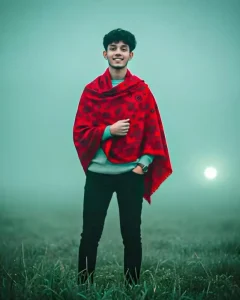
A foggy, grassy field on a moody winter morning. A young man stands confidently, draped in a red patterned shawl over a light grey sweater and black fitted trousers. One hand is casually in his pocket, while the other hand gently holds the edge of the shawl. His expression is calm, confident, and composed. The background is softly blurred with a beautiful bokeh effect, filled with mist and a cool blue-green tint from and environment. captured with a low-angle DSLR shot. showcasing a shallow depth of field, cinematic tone, and professional color grading for a dramatic, editorial look.

"A full-body portrait of a person walking forward on a cobblestone path, surrounded by a natural archway of blooming pink bougainvillea and lush green foliage. The scene is softly lit, with ethereal light rays breaking through the leaves, creating a mystical and slightly foggy atmosphere. The person is dressed in a light-colored button-up shirt, dark cargo pants, and a patterned scarf draped over their shoulders. They have a calm, direct gaze towards the camera.
How To Create Dp With Google Gemini
Many of you want to create a profile picture using Google Gemini. First, I want to tell you that you can create a photo like this. You can use this photo throughout the winter season. Many people want a standard profile picture like this. You’ll see a yellow background. There’s a photo of you that’s cut out, and a full stroke of your body. It looks quite nice. That’s why I thought, why not share the details so you can create such a photo? If you want to create a DP? Simply go to Google Gemini and upload a photo. Simply write in your own language that you want this background. You want a cutout stroke effect on your body. Create this for your Instagram DP. It will create a DP for you.
How To Use Google Gemini Winter Ai Photo Editing Prompts
My dear friends, if you want to create your own photo using this, I’ve already mentioned the DP format above. If I were to say, you want to create a photo that reflects winter, meaning there’s fog in the background. If you’re wearing winter clothes, it looks amazing. To create it, follow these steps. First, copy the prompt. Simply click the copy button and the prompt is copied. Then, go to Google Gemini. You can use a browser directly for this. Search for “Google Gemini” there, open the website, and paste the prompt. After pasting the prompt, go to the “Plus” option. Select a photo there. You can select any simple photo of yours. Now, don’t assume you’re creating a winter photo. We’ll need a winter photo here. After selecting it, you’ll need to click on the “Generate” option. Your photo will be created and ready in just a few seconds.
Gemini Vs Photoshop
Now, in Google Gemini vs. Photoshop, we can’t say whether Google Gemini is the best or Photoshop is the best. Both have their own uses. Let me explain. Google Gemini offers some features that you can create with Promo, but you can’t customize them to your liking. If I were to explain it in terms of perfection, if you need a simple light, adding a single light would be a huge problem. We couldn’t even do it correctly. However, if we were talking about changing the background or creating a professional photo, it gives us quite good results. The same goes for Photoshop. If we need to change the background or create a professional photo, it would waste a lot of time. However, if we need to add a small rim light, even if it looks natural in a professional manner, it would be much easier to do it here. Even if it does take a little time, it’s still a bit time-consuming.