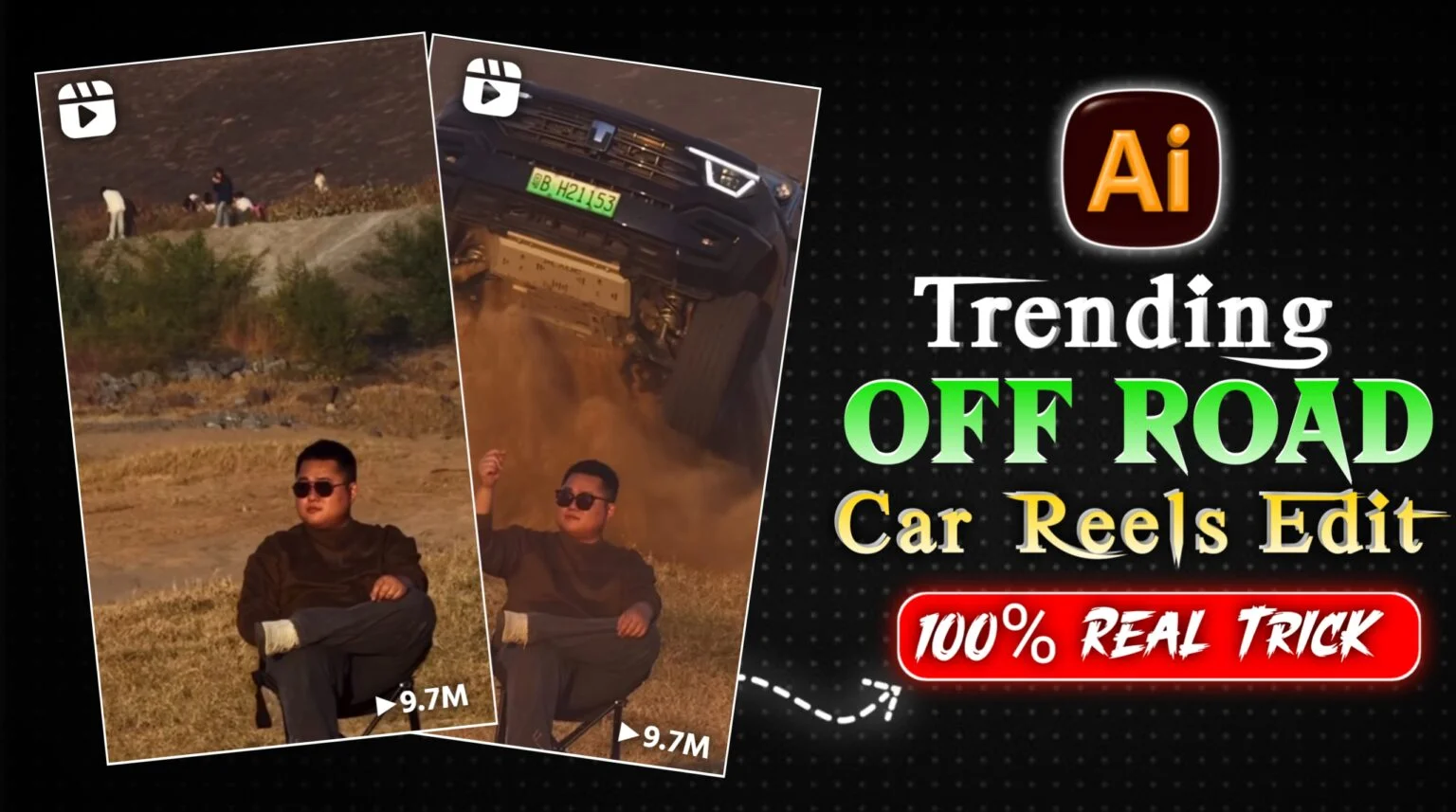
Off Road Ai Car Reels Editing Tutorial – So friends, currently on Instagram, these kinds of car stunt reels are going viral very quickly. In these videos, a boy or a man is sitting on a chair in a field, and a car is performing stunts behind him. This looks very realistic and impressive, and these videos are getting millions of views and hundreds of thousands of likes. People want to create similar videos, but no one is explaining the correct way to make them. So, in this article, I’m going to tell you all the steps to edit this type of video. Using these steps, you can create such videos in just one click, and they will look completely professional. So, let’s explain everything step by step. Just read this article carefully, and you will understand everything.
Details Off Road Ai Car Reels Editing Tutorial
You probably know that this trend is popular on Instagram and other social media platforms. If you create a video using this trend, there’s a 100% chance your reel or video will go viral because trends are all about capitalizing on what’s currently popular. Once the trend is over, it’s too late. This trend is currently active, and creating this type of video is quite easy. You just need to use one of your photos. In this article, I’ll give you the prompts you need to easily create these videos. Post them on your social media platforms, and your videos will go viral, getting millions or even hundreds of thousands of views. You’ve probably seen many people explaining how to make these videos; some have even called it a template and are getting clicks by using that term, but the videos aren’t actually being created using a template. I’m going to show you a 100% working method. If you follow these steps, I guarantee you’ll be able to create these videos. Let’s get started!
First You Have To Create Image
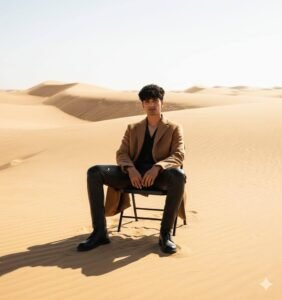
Please generate a image using my picture A striking editorial portrait of a handsome young man in a long, camel-brown overcoat and black leather pants/boots, seated on a black folding chair in the middle of a vast, bright desert with large sand dunes. Harsh, natural light. Fashion photography, high quality, cinematic.”
How To Create Image:-
If you have an image of someone sitting on a chair or in a field, then you can use that image, it will be the best, or if you do not have an image, then you can create the photo using AI tool.Below I will tell you how to follow this method to create an image.
- First of all, you have to click on the create image button.
- And you have to login with your Google account.
- And below you have to click on the plus icon and upload your selfie photo
- Now you have to copy the prompt I have given above.
- Then you have to paste the prompt in the text below
- Now you have to send it.
- Your image will be ready.
- Now you have to download it by clicking on your image
Secund You have To Create Video
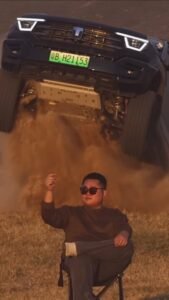
Use the uploaded image as the reference frame.
Create a highly realistic cinematic desert scene.
At the start of the video, the man is sitting on a folding chair
with his right hand raised.
As soon as the car begins to appear from behind the sand ridge,
the man slowly and naturally lowers his raised hand
and rests it calmly on his lap.
The hand movement is smooth, subtle, and realistic,
no sudden or robotic motion.
The man remains confident and relaxed.
Behind him is a wide sandy desert ridge.
From behind the ridge, a full-size, realistically scaled
black Mahindra Thar jumps into the air.
The Thar looks heavy, powerful, and properly proportioned,
not small or toy-like.
As the Thar flies, massive desert sand and dust explode upward
with realistic particle physics and depth.
The Thar lands solidly on the sand
and stops dramatically a short distance behind the man.
Dust clouds continue to rise and slowly settle,
creating a cinematic slow-motion effect.
Natural desert lighting, correct depth perspective,
realistic shadows, ultra-real physics,
cinematic realism, 4K quality..”
How To Create Video
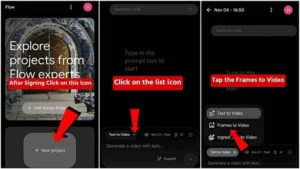
- First of all, you have to click on the create video button.
- Now you have to click on New Project, then click on the option listed and select text to video.
- Then you have to click on the frame or video and select it.
- Now you have to select your image and copy and paste it as prompted and your Car video will be ready, download it.
Conclusion
So friends, I’ve explained the complete process of editing stunt videos step by step, which you can follow to easily create such videos. I’ve also shown you how to create images, and I’ve mentioned that if you already have an image of yourself sitting on a chair in a field, you should use that image – that’s the best option. Alternatively, you can create an image yourself, as I’ve provided a prompt for creating the image above, I hope you’ve understood everything.