Top 10 Google Gemini Ai Photo Editing Prompts – Friends, nowadays, no one is creating photos using an editing app. Everyone uses Google Gemini. Using the Google Gemini app and online tools, we can easily edit any type of photo. Whether it’s changing the background, changing the clothing, or any other type of editing. And you won’t believe it, Google Gemini’s photo editing is so realistic that it’s simply unmatched. Moreover, we’ve seen a lot of photos on Instagram that users made using Google Gemini. If you’re seeing a photo like this for the first time, you might not believe AI created it. Now when everyone is liking to do photo editing with the help of Ai, that is why we thought why not provide prompt for photo editing with Ai itself, In this article, we’ll share the top 10 viral Google Gemini photo editing prompts.
Top 10 Google Gemini Ai Photo Editing Prompts
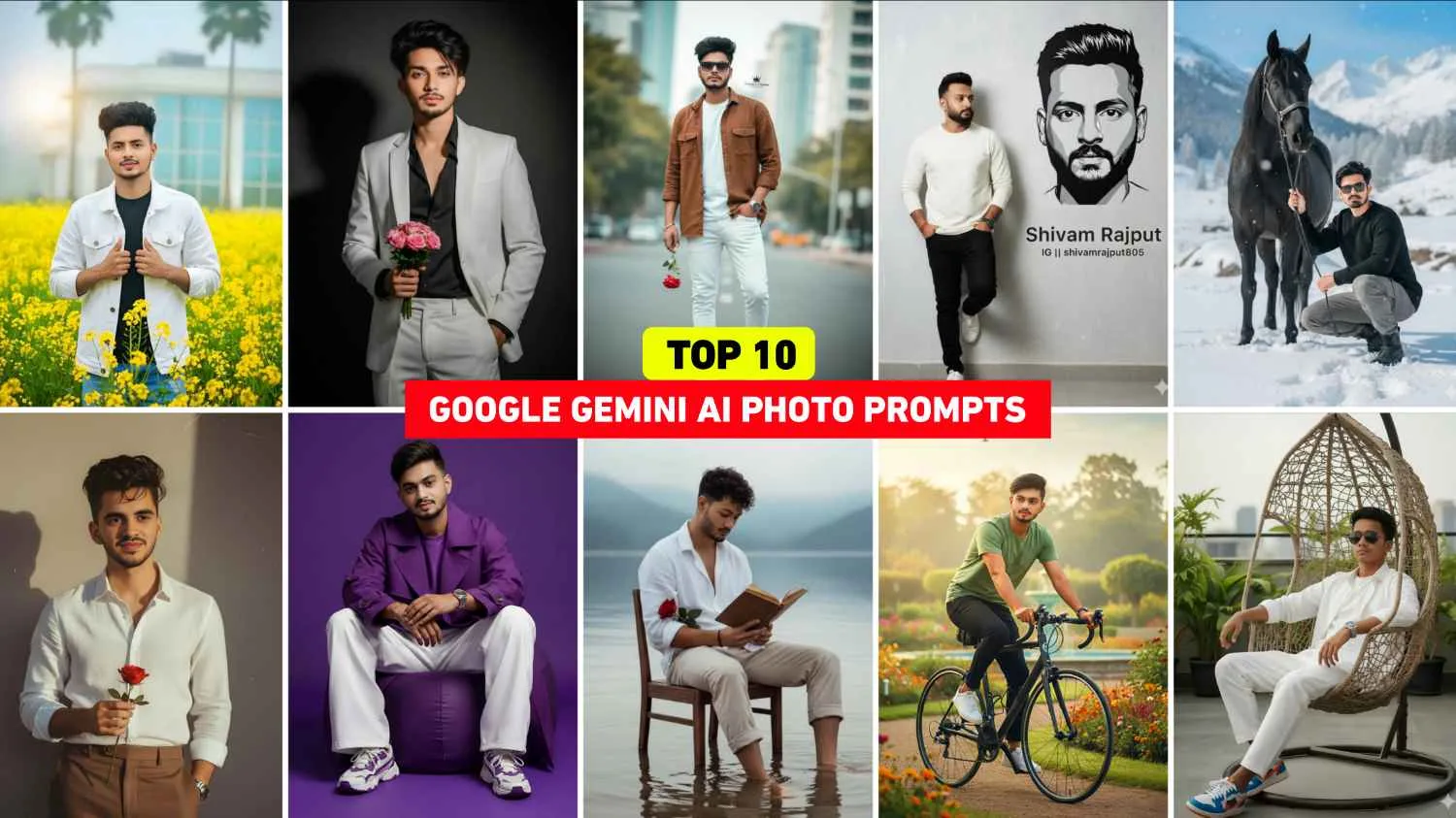
In this, we will provide you the prompt of such image to edit your photo from Google Gemini which is viral on Instagram, that is, which has been discussed and which everyone is making, we will give you the prompt of all those images. You can also create a photo using ChatGpt using the prompts we provide. However, creating a photo in ChatGpt will take a lot longer, and the face will be distorted. Therefore, if you believe me, you should create a photo using Gemini, as Google Gemini creates images very quickly and with a completely realistic face. For example, the top 10 photo prompts include images like Mustard Field Portrait, Snow Horse Shoot, Cycling in Park, Casual Indoor Portrait, and many more. We’ve shared different prompts for each image, so you can copy the one you like and create your photo easily.
Top 10 Google Gemini Prompt
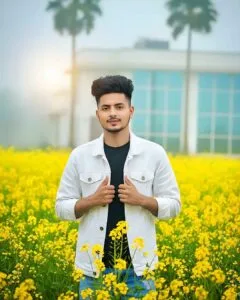
A young man stands confidently amid a field of beautiful yellow mustard flowers, wearing a white denim jacket over a black T-shirt. He is holding the denim jacket with both hands. The boy’s face is facing forward, with a slight smile on his face. In the background, a modern white house with large glass windows is visible, slightly blurred by the morning fog. Behind the house, two tall green trees are surrounded by fog, creating a cinematic dreamlike effect. The entire photo should be clearly focused on the person, with a bright yellow color.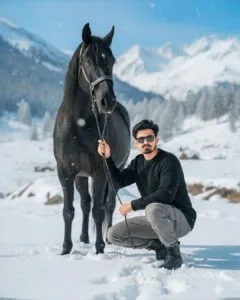
“A highly realistic 8K cinematic photo where a young man, looking stylish with wavy hair and dark sunglasses, is crouching beside a powerful black horse in a snow-covered mountain landscape. He wears a cozy black sweater, grey cargo pants, and black boots, holding the horse’s reins with confidence. The horse has a shiny black coat and flowing mane, while snowflakes gently fall around them. In the background, snowy pine trees and tall peaks appear under a clear blue sky, giving the whole scene a calm, adventurous, and majestic vibe.”
A vintage, grainy 90s movie aesthetic photo of a boy in a crisp white linen shirt and tailored brown pants. Short wavy dark brown hair with a messy quiff, holding a single bloomed rose delicately. Wind tousles his hair and billows the shirt. He stands against a textured minimalist wall with deep shadows, warm golden-hour lighting, and high contrast. Expression is moody yet calm, happy, and introspective, evoking cinematic elegance.Google Gemini Prompt

A stylish young man wearing a perfectly tailored white suit with a black shirt inside, standing confidently against a plain dark background. His hairstyle is voluminous and slightly messy, with strands flowing naturally. He is holding a small bouquet of pink roses in one hand while the other hand is in his pocket. The lighting is soft and cinematic, creating a dramatic shadow on the wall behind him. The overall look should be sharp, classy, and elegant with a modern vibe.
A stylish man (use my image for refrence with accurate face) standing in a field of white Kash/ Kans grass, holding a bouquet of pampas grass, cinematic photography, natural soft light, Background white Sky realistic details, professional portrait, bokeh background, 8k ultra realistic, fashion pose, wearing white shirt and black pants, sunglasses, DSLR shoot,More Ai Photo Editing Prompts
Create oversized brown linen shirt, White jeans pants, white sneakers, watch is left hand, hair, sharp jawline, One hand in pocket Right hand with rose flower direct gaze, Loafer shoes, There will be some trees in the background that will be blurred, like when taking photos with a DSLR, natural light, urban fashion editorial style, bold attitude, only body slim, Instagram influencer vibe, high contrast photo, Gen Z aesthetic keep my face 100% same as in the reference image
Cinematic, hyper-realistic full body shot: me(use my face with accurate 100%) on a vintage park bench under warm streetlight at golden hour, focused on smartphone. Light purple oversized shirt, beige trousers, sneakers, tousled hair, glasses, leather watch; flower bouquet beside. Lush blooms, cherry tree, dramatic golden clouds, creamy bokeh foreground, cable overhead. 8K, RAW, shallow depth, warm highlights/teal shadows, vivid textures.
How To Use Google Gemini Ai Photo Editing Prompts
We’ve discussed all the top 10 Google Gemini AI photo editing prompts, and I’ve provided them. We show only five sample images, and we provide the remaining prompts separately. Without the images shown, you can use them to create your photo. Those who always create their photos using Google Gemini using prompts may have easily created photos by copying the prompts, but for those who don’t know how to use prompts in Google Gemini with their photos, let’s explain it step by step.
- Open any browser on your phone.
- In that you write Google Gemini and search.
- Login with the help of your Gmail ID.
- Select 2.5 Flash by clicking on the top button.
- Now add your photo and Premanand Ji Maharaj Photo by clicking on the plus button below.
- Enter the prompt in the message box you just saw below
- Now click on send and wait for some time.
- Your image will have become a Ai photo editing ready.
- Click on your photo and save it by clicking on download option.
Convert Photos Make With Google Gemini To Hd
When you take any kind of photo in Google Gemini, it’s possible that the quality of your photo will deteriorate slightly. Therefore, whenever you take a photo and upload your photo, upload a very high-resolution photo, in which your face is clearly visible, so that it makes your photo HD. If even after doing all this, the photo doesn’t become HD, then I will tell you about three such editing apps, using which you can make the photo HD.
1. Magic Eraser – This is one of the best AI photo editing apps that you can easily install from the Play Store. It also includes a tool called Enhance Quality, which lets you convert photos to HD quality.
2. Remini App – Everyone knows about this app, as it’s considered the best app for upgrading photos to HD quality. You can also use it to upscale your photos to HD quality.
3. PicsArt – This is one of the best apps for photo editing. Moreover, it has a tool in its toolbar called AI Enhancer, which can help you enhance your photos to HD quality.
Conclusion
So the conclusion is that the top 10 prompts that we have given in this for Ai photo editing from Google Gemini, which people are often making photos with these times, did you edit your own photo using it or not. If you are still facing any problem then please let us know in the comment box.