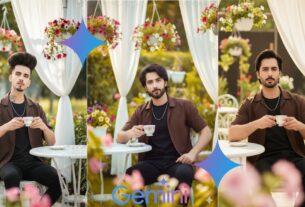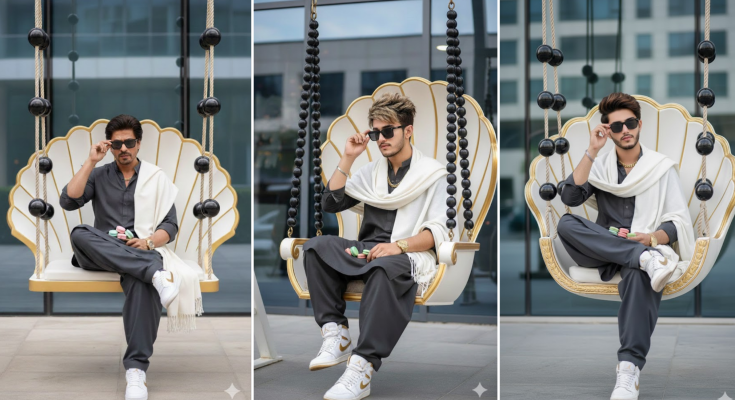
Top 10 Google Gemini Winter Ai Photo Editing Prompts – Winter is a time of increased aesthetics and viral content on social media. People want to transform even their simplest selfies into magical, snow-icy landscapes and dreamy winter vibes. Recently, an Ai photo of a 3 Layer winter look went viral on Instagram. We provided multiple prompt for this in a previous article. This is why Google Gemini’s Winter Ai Editing Prompts are trending right now. And today, in this article, we’re going to give you more than 10 prompts for creating winter-themed photos that will transform your photos with hyper-realistic snow effects, cool lighting, blue icy tones, and cinematic winter backgrounds. That too with the help of just one selfie photo. Gemini Ai will help you create a professional winter portrait by perfectly analyzing your selfie photo. Let us then know about the prompts and their pictures.
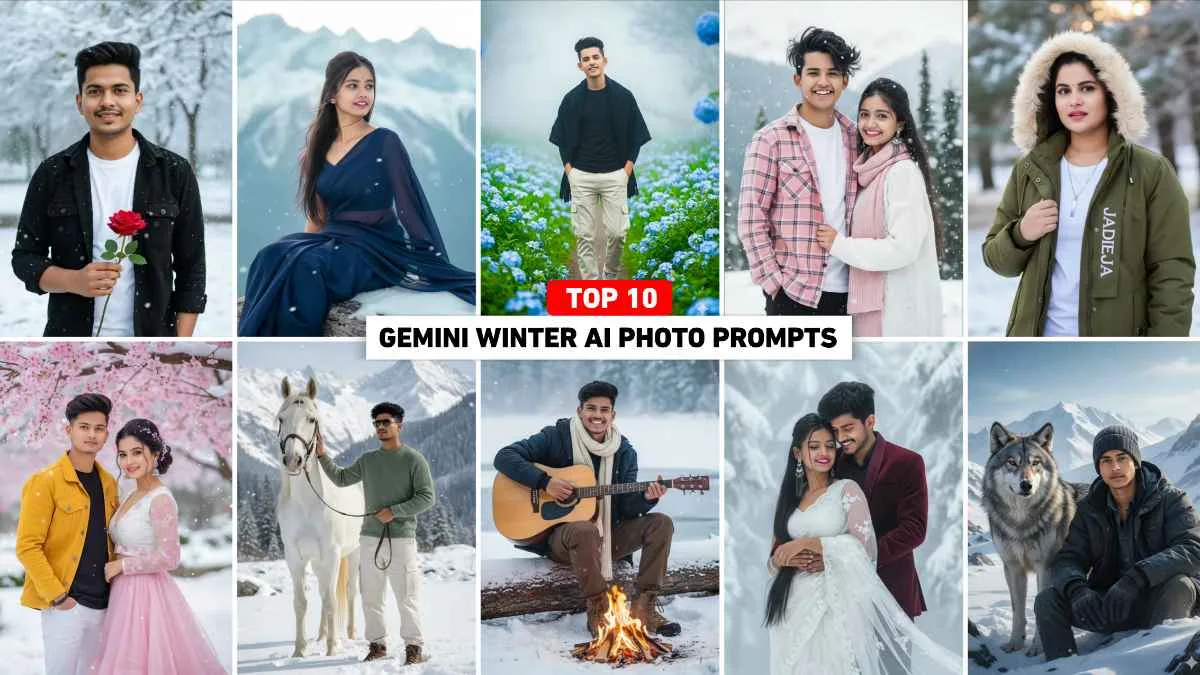
Top 10 Google Gemini Winter Ai Photo Editing Prompts
In this tutorial, we’re going to offer photo prompts for over 10 winter-themed events. It’s not just for boys. We’re also offering photo prompts for both boys and couples. With the help of which any user can easily change their photo into look like snowfall portraits, frozen mountain backgrounds, snow forest themes by uploading their selfie in Gemini Ai with the help of these prompts. All these prompts are easy even for beginners and Ai will automatically convert only the background and atmosphere to winter while keeping the face structure, hair and expression the same. That’s why it’s so easy to create a winter snowfall photo with these prompts. We have included different types of photos in this like couple romantic winter shot, cinematic blue-tone mountain scene, Christmas light background etc. These Gemini winter prompts are perfect for creating viral winter photos without any hassle.
Google Gemini Winter Prompt

Create a hyper-realistic DSLR portrait of a handsome young man with sharp, thick hair (using 100% of my face reference image), also wearing a black button-up jacket over a white t-shirt, holding a red rose, against a blurry snow background. Additionally, snow falling on trees and leaves, realistic textures, and a sophisticated editorial aesthetic.

A stylish young female model with the same face as I described. Moreover, she is wearing a stylish olive green winter parka jacket with a faux fur-lined hood over a white T-shirt, a rimless rectangular gradient, and a cuboid-like vertical bar pendant. The model is also holding the jacket’s zipper with one hand and posing outside in the winter weather, with some winter details visible in the background. Meanwhile, the jacket’s zipper flap features bold branding text ‘JADEJA’. Do not wear any glasses on your face.
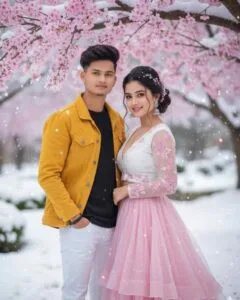
Use the same faces as in the image and create a highly detailed and photorealistic 4K image of a charming young couple. Moreover, the romantic Russian woman is wearing long, wavy ponytail hair styled in a beautiful bun, adorned with silver cherry blossom hairpins and delicate beads. She is wearing a beautiful pink skirt and a revealing white cleavage-revealing top with beautiful cherry blossom embroidery. Additionally, she is standing in a snowy garden under a blooming pink cherry tree, as white, soft snowflakes fall. Signature Raj. Meanwhile, the man is wearing a stylish yellow jacket with a black T-shirt and white bottom jeans, and the faces match 100% in context. Finally, their faces are together directly at the camera.
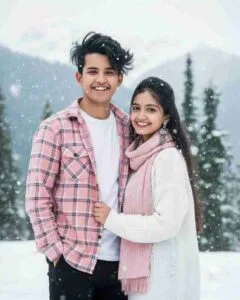
Create a 4K HD realistic portrait of a young Indian couple standing together in Kashmir under gentle snowfall. The scene should look natural and full of emotion. Furthermore, make sure both faces remain exactly the same as in the uploaded photos, without any alteration or change. The boy, with messy dark hair and a sharp jawline, is wearing a pink checkered shirt over a white T-shirt with black pants. Meanwhile, the girl has soft features, long black hair, and is dressed in a cozy white sweater with a pastel pink scarf. In addition, the background should appear cool, bright, and romantic, filled with soft white snowflakes that create a dreamy winter atmosphere. Therefore, the final portrait should capture warmth, love, and realism together in a perfect 4K HD quality frame
Gemini Winter Trend Prompt

A young, stylish man with a modern hairstyle is captured walking down a path, both hands in his pockets, mid-stepping—a very stylish gait, amidst lush foliage and abundant sky-blue flowers along the edges. He’s wearing a fitted black shirt (not oversized) and a black winter shawl draped over his shoulders. He’s also wearing off-white cargo pants and white Nike Air Jordan sneakers. Smiling slightly at the camera. His look is romantic and confident captured in a natural spontaneous moment. The background is filled with even more blooming flowers and a thick layer of fog behind him adds to the dreamy atmosphere. The flowers in the background have a soft bokeh effect. The face in the uploaded image must remain unchanged.

A beautiful young man sitting on a wooden log in a snowy forest beside a calm frozen lake and tall pine trees. She is wearing a stylish winter jacket woolen scarf cozy pants and warm boots. A small campfire is glowing in front of her with bright orange flames. She is happily playing an acoustic guitar while smiling at the camera. The atmosphere is dreamy, cozy, and cinematic with soft winter lighting and light mist rising from the lake in the background.
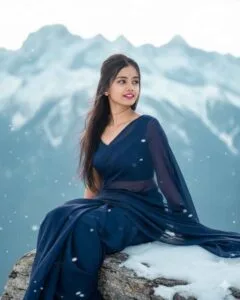
Generate a 8k photo-realistic image of a young woman in a graceful pose. She is wearing a dark blue chiffon saree that is flowing gently in the wind.wearing same colour blouse. She is sitting on a snow-covered rock with a majestic snow-capped mountain range in the background and it is little snowing also. Her hair is slightly windblown and she is looking in front right side giving the scene a serene and ethereal feel. Give a close up photo of face The Lighting should be bright and
More Winter Ai Photo Editing Prompts
Look, we’ve just shown seven types of images in paragraphs three and four, and provided prompts for them. If you need prompts for more images, you’ll need to visit the Ai photo editing category on our website. We’ve written three articles on how to create winter photos using Google Gemini. Click on the individual articles to get prompts for different image types.Such as three layer winter ai photo editing prompt, winter photo editing prompt with snowman, winter photo editing prompt with snowy village scene. “We have written articles on Google Gemini about the winter photos that are going viral on social media. You can click on them to get a prompt.
Use Top 10 Gemini Winter Ai Photo Editing Prompts
These Top 10 Winter Ai Photo Editing Prompts from Google Gemini instantly transform your simple selfies into winter-style viral photos. These prompts will work perfectly on any selfie, be it girl, boy or couple. Just keep your selfie photo clean for this. These prompts include snowfall, icy blue tones, foggy backgrounds, winter mountains, Christmas lights etc. That’s what makes these Top 10 Gemini Winter Prompts most useful. Using the prompts in Google Gemini is very easy. We’ve outlined the steps below, so please read them one by one.
- Open Gemini app or browser on your phone (same process for both Android/iPhone).
- In the prompt box below, you will find an option “Create an image with AI”. Select it.
- Click on “Upload Image.” Select your clear, bright selfie and wait for it to upload.
- Just type/paste the winter Ai prompt you want to use into the prompt box.
- Now click on the send button on the right side.
- Your photo will be ready in no time.
- Click on your photo and save it.