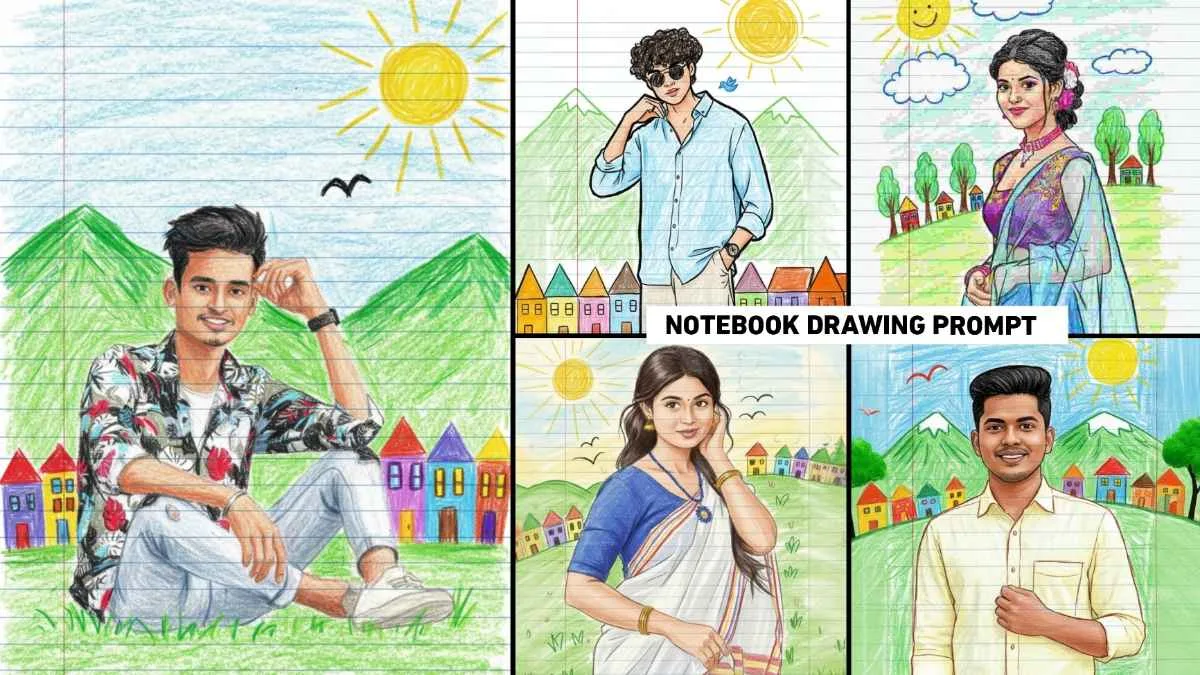
Google Gemini Notebook Drawing Ai Photo Editing Prompts – Friends, a new type of Ai photo created with Google Gemini is going viral on social media. Which people are knowing by the name of notebook drawing ai photo. In this trend, people are converting their normal photos into a creative notebook drawing style. In which we saw that the background is like lined paper and the photo is like a hand-drawn sketch made with crayons. The reason why such viral AI photos go viral is that they convert your real photo into a cartoon-like notebook drawing, but keep your original pose and expression the same. For the first time, we’ve seen a photo like this on Instagram, which is rapidly going viral. If you’d like to create a similar photo, you’ve come to the right website.
In today’s article, we’re going to provide you with a Google Gemini prompt to create such a photo. Moreover, it will allow you to easily create a notebook drawing photo.
Google Gemini Notebook Drawing Ai Photo Editing
Ai Photo to Notebook Drawing is a creative Ai technique that transforms your real photo into a colorful notebook-style drawing. Such Ai images look as if someone has made a sketch on the page of a school copy with crayons and color pencils. People are creating different types of photos like this using different prompts. That’s why we’ll provide three to four types of prompts, along with the images, so you can view different image samples and use their prompts to create photos in Google Gemini. This prompt is perfect for those who want to give their normal photos a unique artistic touch. Whenever you take a photo using Google Gemini, try to upload a photo in which your face is clearly visible. So that the face in the created gemini ai image is exactly similar
Google Gemini Drawing Prompts
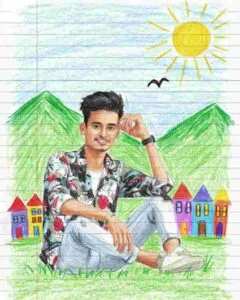
Transform the photo into a cute crayon-style drawing on lined notebook paper. Keep the same face, hairstyle, skin tone, expression, and clothes, but recreate them with rough crayon strokes and bright colors. Add green mountains, a yellow sun, an “M”-shaped bird, and colorful scribbled houses in the background. Use blue lined paper with a red margin line, and make the drawing playful, childlike, and slightly imperfect. 4:5 aspect ratio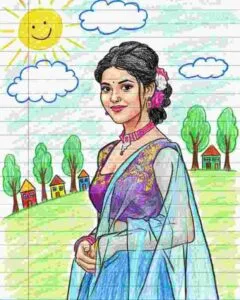
Create a playful notebook-style crayon drawing of the person, keeping the same face, hairstyle, and outfit. Also, draw with uneven crayon strokes and bold outlines for a hand-drawn effect. Meanwhile, add doodle-style elements like a sun, clouds, trees, and small colorful houses in the background on blue lined paper with a red margin. Next, make the image look like a fun school notebook sketch, full of bright colors and childlike charm. Finally, use a 4:5 aspect ratio to complete the composition.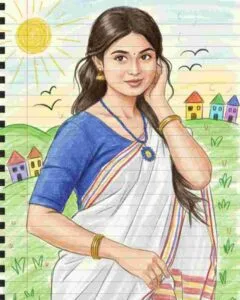
Turn the uploaded photo into a cheerful crayon art sketch on ruled notebook paper. Keep all original facial features and clothes but give them a soft, cartoonish look with textured crayon coloring. Include simple doodles such as hills, sun, birds, and rainbow-colored houses behind the person. Add rough lines, scribbles, and playful imperfections to make it look spontaneous and cute. 4:5 aspect ratio, notebook-themed design.How To Use Notebook Drawing Ai Photo Prompts
See, creating a photo using the prompt in Google Gemini is very easy. Many people create photos using the Google Gemini application, while others use the Google Gemini website. You can easily create photos with both of them, for example, if you want to create photos with the help of Google Gemini application, then there is an application named Google Gemini from the Play Store, install it in your phone and open it. Your Gmail ID will appear as soon as you open it. First, click the Tools option at the bottom and select Create Image. Now click on the plus button and click on the upload file option and upload a good photo of yours there. Paste the prompt you copied from our website into the message box. Click the Send button. Your photo will be ready. Click on your photo and save it.
Conclusion
Google gemini notebook drawing ai photo editing prompts have created a new wave in the world of digital art and creativity. With Trade you can convert any type of photo into a drawing photo. The article provides a lot of prompts to create this type of photo, with the help of which the photo can be created. This prompt is perfect for anyone who wants to give their photos a unique, colorful, and nostalgic touch. If you have any questions about this prompt, please feel free to ask us in the comments section. I’ll definitely try to answer them.